1. Check the account and market first
CryptoIsland supports Hyperliquid mainnet default USDC perpetuals. Enter the address of the main account or subaccount that actually holds the position.
Spot, HIP-3 markets, testnet, unified accounts and Portfolio Margin are outside the current connection scope. A public price appearing in the market list does not mean its position account mode is supported.
Use an Apple silicon Mac running macOS 14 or later. A 48-hour trial lets you check your account’s compatibility before buying Pro for US$19.90 per year.
2. Connect the public position account
In CryptoIsland, open Settings → Accounts → Add account and choose Hyperliquid. The form needs a public 0x account address only.
Use the position account’s address, not an API wallet or agent address. You do not need to connect a wallet, sign a message or enter a private key or recovery phrase.
Connection steps
Public prices need no API key. Connect an account to view assets and positions.
 HyperliquidPublic account address

Enter the address holding your positions
Choose Hyperliquid and enter the public 0x address of the main account or subaccount holding your positions, then verify. No API key, wallet connection, private key or recovery phrase is needed.
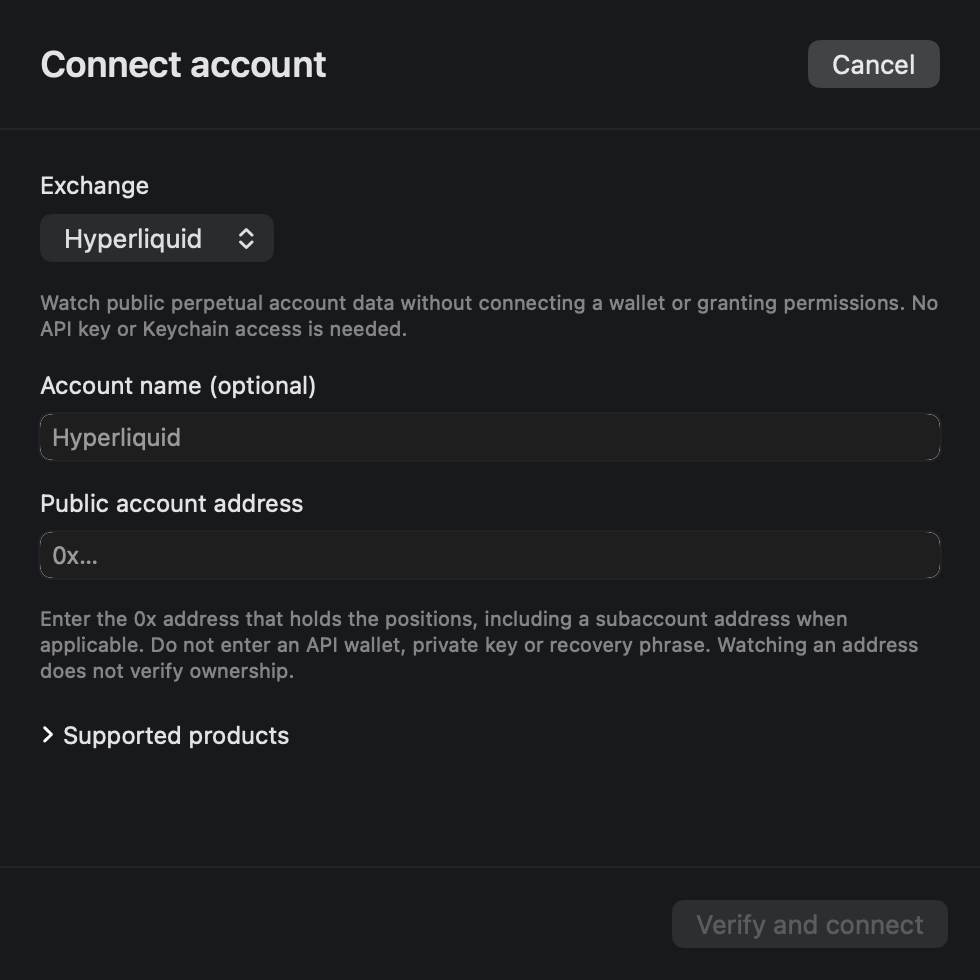
Use the position account’s address, not an API wallet address. Supports mainnet default USDC perpetuals; spot, HIP-3, testnet, unified accounts and Portfolio Margin are excluded.
3. Keep a position in the notch
After verification, enable Show balances and positions in Accounts. Open the island’s Positions view and choose the position you want to follow.
Pin one position to keep it in view, or configure multiple items under Settings → Display for rotation. The island shows account data for observation; it cannot place trades or move funds.
If values stop updating, check the connection state before relying on the last snapshot. A position or price alert needs CryptoIsland to be running and connected.
Screenshot of CryptoIsland’s blank connection form. No real account information is shown. Click to enlarge.
Common questions
Do I need a Hyperliquid API key?
No. This connection reads a public account address. CryptoIsland does not need a wallet signature, private key or recovery phrase.
Why is my Hyperliquid position missing?
Check the account address, mainnet network and supported market first. Positions on a subaccount require that subaccount’s address. API wallet addresses, spot, HIP-3, testnet, unified accounts and Portfolio Margin are not supported by this connection.
Why can I see a price but not my position?
Public market prices and account positions are separate data sources. A market quote in the watchlist does not confirm that its account mode or position type is supported.
Can CryptoIsland trade or change a position?
No. CryptoIsland is read-only. Place or manage orders in Hyperliquid; this app displays supported account data and reminders.
Which address should I use for a subaccount?
Enter the public address of the subaccount holding the positions. Connecting the parent account or an API wallet is not a substitute for the position account’s address.
Need help? Contact support