 BTC / USDT
Your first price rule.
Price alerts use public market data and need no exchange account. They are included in the trial and Pro. Nothing is monitored until you save a rule.
- 1
Open Alerts → Add rule
In Settings → Alerts, choose Add rule and select Price as the reminder type.
- 2
Choose the exact market
Search the symbol and, if helpful, filter by exchange. Check the spot or contract label, quote currency and price basis. The selected row shows a price and small trend preview when data is available.
- 3
Enter your trigger
Choose Rises to ≥ or Falls to ≤ and enter a positive price. The gray current-price hint is a reference, not an automatically filled trigger.
- 4
Choose how it repeats
Select Once or Repeat after recovery, leave Enable after saving checked, and save. Check that the rule moves from waiting for fresh data to monitoring.
It waits for a crossing.
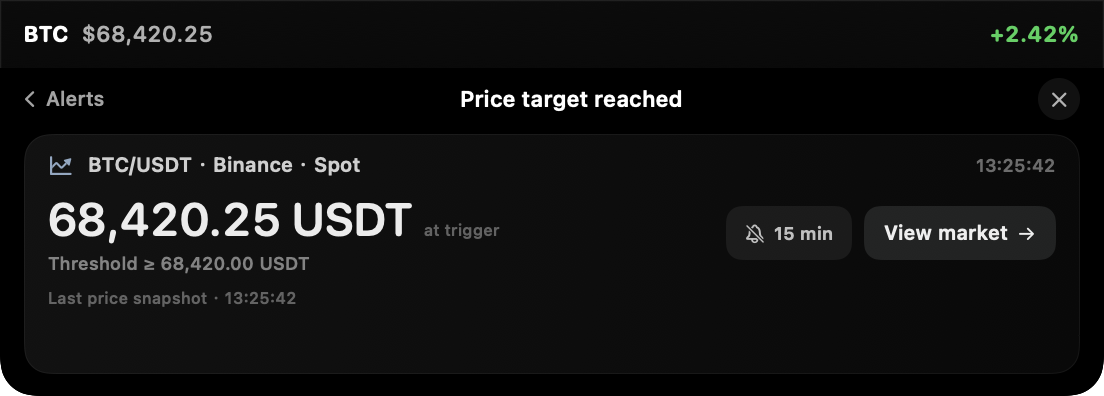
The first fresh price establishes a baseline and does not fire an alert. If BTC is already above your chosen threshold when you save the rule, saving alone will not trigger it. A later crossing from the other side is needed.
For example, an above-100 rule can trigger when fresh prices move from 99 to 100. If its first price is 101, it first needs to return below the level and cross again. This avoids treating an already true condition as a new event.
A repeating price rule must recover before it can fire again. It also requires another crossing and at least five minutes since the previous reminder. It is not a continuous alarm that sounds on every price update.
Notice it your way.
In Alerts → Delivery & sound, choose whether reminders appear on the island. Automatic expansion is off by default: the compact reminder waits for your click. Turn it on if you prefer a card to open automatically.
Reminder sounds have their own switch. Prices and position warnings use different cues; startup sound is separately selectable within the sound settings. These are app sounds, not system notifications, so macOS Focus does not automatically mute them.
Use Pause all reminders to stop new events without deleting your rules. Recent reminders can be reviewed in the app. Keeping history after quitting is optional and off by default; enabling it stores financial values unencrypted on this Mac.
Keep the Mac awake.
Monitoring runs on your Mac while the app is running and receiving usable data. It does not monitor in the cloud while your Mac is asleep, offline or the app is closed. An exchange outage or delayed feed can delay or prevent a reminder.
An alert is information, not an exchange-side stop-loss or a guarantee that you can trade at its price. CryptoIsland cannot place or close orders. Always use the exchange for trading controls.
Alerts, history and sound are included in the trial and Pro. A valid license is required after the trial. Position P&L and account-sync alerts depend on fresh account data. Private beta downloads require an access password on the homepage.
FAQ
A few useful answers.
Why did saving a rule not trigger it immediately?
The first fresh price only sets the baseline. A threshold that was already crossed does not fire at save time; the price must cross again from the other side.
Can I create an alert without an API key?
Yes. Price alerts use public exchange data. API credentials or a public Hyperliquid address are only needed when monitoring supported account or position data.
Will the alert work when my Mac is asleep?
No. The Mac and app must be running, with fresh market data available. This is local monitoring, not a 24/7 hosted alert service.
No API secrets or wallet details needed.